Display Rooms for Reservations
When users assign rooms to reservations from any of the mentioned screens, the order in which the rooms must be assigned is determined by the rack order value of the room, that is, the rooms are assigned in the ascending order of rack order values.
Sample Scenario
Let us consider the following rack order values assigned to the rooms created for the King room type in the property.
|
Room Number |
Rack Order |
|---|---|
|
101 |
1 |
|
102 |
2 |
|
105 |
5 |
|
106 |
6 |
When users create a reservation using the King room type, the Room Assignment tab of the Book a Reservation screen will display the rooms based on the ascending order of the rack order value of rooms, that is, the rooms created for the King room type will be displayed in the following order: 101, 102, 105, 106 and so on.
When the housekeeping condition of the room is not suitable for check-in, the room will not be displayed for selection.
When users proceed to book a reservation without assigning a room, the rooms will be displayed in the same order of assignment in the Other Matching Rooms section of the reservation.
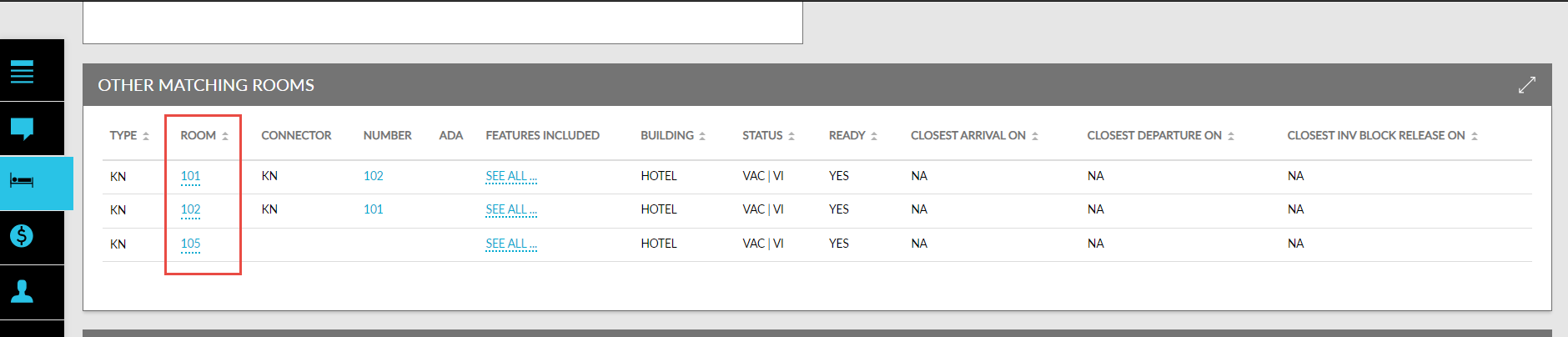
When a room is assigned to the reservation during date roll, or from the following screens, the room, 101, will be assigned, since room 101 has the least rack order value:
-
Batch Operations ➜ Check-In ➜ Assign Rooms
-
Tape Chart ➜ Assign Rooms
This order of room assignment is applied when users upgrade the room type of a reservation to King from the Recommended Upgrades section or perform a scheduled room move for a reservation booked using a different room type to King room type.
Feature Configuration
Navigate to All Settings ➜ General ➜ Rooms & Room Types ➜ Room Assignment.
Select Rack Order from the Room Assignment drop-down list.
Select the date from which the selected room assignment option must be applied from the Effective Date date picker.
Users cannot a date prior to the current property date.
Click Save.
When users modify the selected room assignment option, the newly selected room assignment option will be applied after the completion of date roll for the effective date selected in the date picker.